

How Often Should You Calibrate a Screen Stretching Machine for Consistent Mesh Counts
2026-07-16
Precision in screen printing begins long before the squeegee touches the substrate. For print shops aiming for repeatable halftone definition and tight registration, the Screen Stretching Machine is the silent workhorse that sets the foundation. Yet even the most robust pneumatic or hydraulic unit drifts over time due to mechanical wear, temperature shifts, and sensor fatigue. At HOYSTAR, we field one question more than any other from production managers: if tension readings fluctuate, when do you actually intervene? The answer is not a single number—it is a strategic schedule tied to usage, environment, and quality audits.
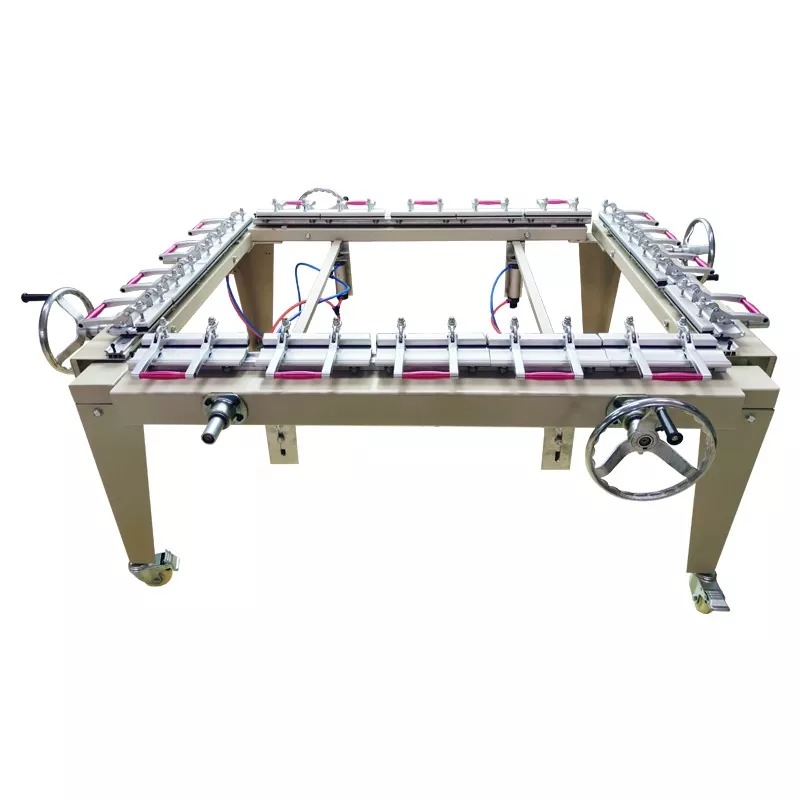
Why Calibration Frequency Directly Impacts Mesh Consistency
A Screen Stretching Machine operates on load cells, pressure regulators, and linear encoders. Each component introduces a potential error margin. Over a 12‑month cycle, uncalibrated units can lose up to 8–12% of displayed tension accuracy, which translates into inconsistent mesh opening and premature stencil breakdown. For shops running 120‑mesh or finer, that variance ruins dot gain control. Calibration is not a repair—it is a preventive discipline that protects your consumables and client artwork.
Recommended Calibration Intervals by Usage Profile
| Usage Level | Typical Frames/Week | Calibration Frequency | Verification Check |
|---|---|---|---|
| Light / Sample Shop | < 20 frames | Every 6 months | Monthly (quick offset test) |
| Medium Production | 20–80 frames | Quarterly (every 3 months) | Bi‑weekly (known weight check) |
| Heavy / Industrial | > 80 frames | Monthly | Weekly (digital readout vs. mechanical gauge) |
| After any impact or sensor replacement | — | Immediately | Full 5‑point calibration protocol |
Note: HOYSTAR recommends the heavy‑duty interval even for medium shops that run high‑tension applications (above 28 N/cm) because creep stress accelerates load‑cell drift.
Signs Your Screen Stretching Machine Needs Immediate Calibration
Beyond the calendar, watch for these operational red flags:
-
Inconsistent newtons across identical frames using the same mesh roll.
-
Difficult registration on multi‑color jobs that previously ran flawlessly.
-
Unexpected mesh tearing at tensions below your setpoint.
-
Digital readout showing values that differ from a handheld tension meter by > 1.5 N/cm.
If any symptom appears, run a verification test with a certified reference frame. When the deviation exceeds 2%, schedule a full calibration before your next production shift.
Step‑by‑Step Calibration Best Practice (HOYSTAR Standard)
| Step | Action | Tolerance |
|---|---|---|
| 1 | Zero all sensors with no frame loaded | ± 0.1 N |
| 2 | Apply a certified deadweight (traceable to NIST) | ± 0.5% of reading |
| 3 | Adjust gain and linearity across 20%, 50%, 80% of full scale | R² ≥ 0.998 |
| 4 | Perform a dynamic pull test with a standard 140‑mesh frame | 3 consecutive pulls within ± 1.0 N |
| 5 | Document offset values and update the controller firmware log | Digital signature required |
HOYSTAR supplies an onboard calibration wizard on our premium models, reducing technician time by 40% compared to manual potentiometer adjustments.
Environmental Factors That Shorten Calibration Cycles
-
Ambient temperature swings > 10°C per day affect strain‑gauge resistance—shorten intervals by 25% in uninsulated shops.
-
High humidity (> 70% RH) accelerates oxidation on electrical contacts; perform a contact‑clean and zero‑check every 6 weeks.
-
Floor vibration from adjacent presses can micro‑shift mechanical linkages; mount your Screen Stretching Machine on anti‑vibration pads and re‑verify after any facility rearrangement.
Screen Stretching Machine FAQ – Common Questions from Production Teams
Q: Can I calibrate my Screen Stretching Machine myself, or do I need a certified technician?
A: You can perform a field verification using a calibrated handheld tension meter and a known reference frame—this takes about 15 minutes and is recommended weekly. However, a full multi‑point calibration (adjusting internal gain, linearity, and zero offset) requires access to service menus and certified deadweights. HOYSTAR provides a detailed video guide for operator‑level verification, but we strongly advise a factory‑trained technician for the full procedure every 6 months to ensure traceability for ISO or audit purposes. Attempting deep calibration without proper tools often introduces more error than it corrects.
Q: How does mesh count affect the calibration procedure itself?
A: Mesh count does not change the calibration of the machine’s sensors—those measure force (Newtons), not thread density. However, the interpretation of that force depends on mesh count. For coarse meshes (e.g., 80‑thread), a 2 N/cm drift is visually negligible. For fine meshes (305‑thread or higher), the same 2 N/cm drift alters open area by nearly 9%, directly affecting ink deposit and halftone reproduction. Therefore, HOYSTAR recommends running a separate verification using the finest mesh you regularly use, because the stretching machine’s mechanical gripping behavior changes with thread stiffness. Calibrate the sensors generically, but validate with your actual production mesh.
Q: What is the cost of ignoring calibration on a Screen Stretching Machine over a full year?
A: The hidden cost is substantial. A conservative estimate: 1.5 N/cm of uncalibrated drift causes approx. 4–6% rejection on fine‑detail jobs. For a mid‑size shop producing 3,000 screens annually, that equals 120–180 scrapped frames—each costing $12–$18 in mesh, tape, and emulsion. That is $1,500–$3,200 in direct material waste, plus re‑stretching labor and delayed shipments. Add the risk of client chargebacks for color shift, and the annual penalty easily exceeds the $400–$600 cost of two full professional calibrations. HOYSTAR customers consistently report that quarterly calibration pays for itself within the first two months of recovered yield.
Final Recommendation – Build a Calibration Logbook
Do not rely on memory. Create a simple logbook (digital or physical) with date, technician name, pre‑calibration deviation, post‑calibration values, and next due date. Attach a printed verification label on the machine side panel. For multi‑shift operations, colour‑code the verification status—green (verified this week), yellow (due in 3 days), red (overdue). This visual system reduces human error and supports training new operators.
Ready to Optimize Your Stretching Workflow?
Consistent mesh counts are not a luxury—they are the backbone of predictable print quality. Whether you operate a manual unit or a fully automated Screen Stretching Machine, HOYSTAR offers tailored calibration kits, on‑site training, and remote diagnostic support to keep your production running without surprises. Contact us today for a free calibration interval assessment and a custom checklist designed for your specific frame volume and mesh range. Our team responds within 4 business hours with practical, no‑obligation advice—because your tension stability is our reputation. Reach out now and lock in your consistency for the next 12 months.