

How to Maintain and Service Your Shuttle Table Pad Printing Machine
2026-01-04
Maintaining peak performance and longevity in your production line requires consistent care of your equipment. For operations relying on a Shuttle Table Pad Printing Machine, a proactive maintenance routine is crucial for achieving consistent print quality, minimizing costly downtime, and protecting your investment. At HOYSTAR, we combine precision engineering with practical expertise to ensure your pad printing process runs seamlessly. This guide outlines essential maintenance steps to keep your machine in optimal condition.
A well-maintained Shuttle Table Pad Printing Machine not only produces better results but also significantly reduces the risk of unexpected breakdowns. Follow this structured approach to service your machine effectively.
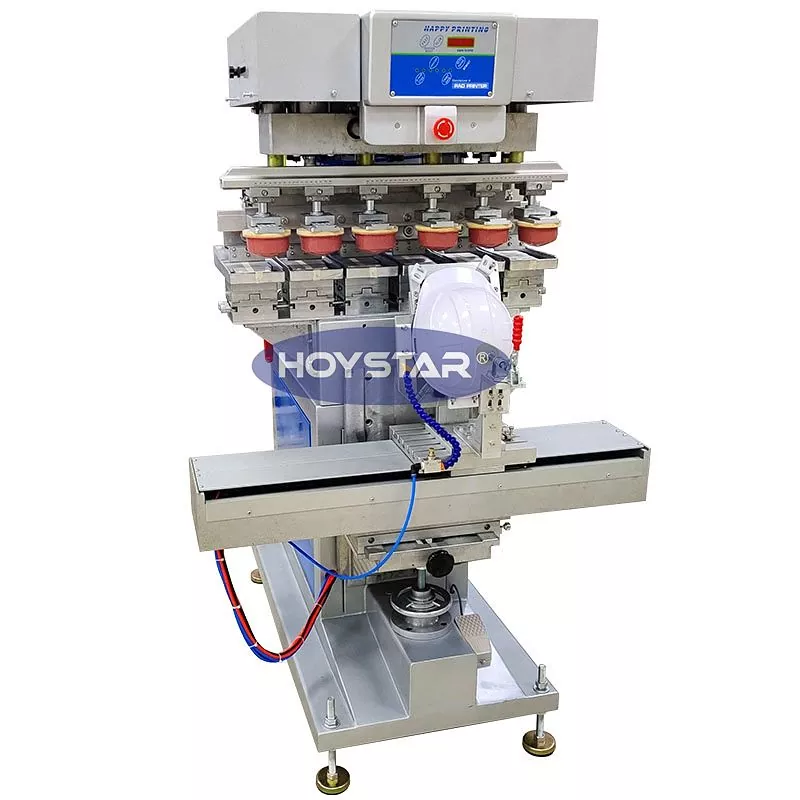
Recommended Weekly and Monthly Maintenance Tasks
-
Daily/Weekly:
-
Wipe down the machine exterior and shuttle table to remove ink and dust.
-
Check and top up ink cup or open inkwell levels.
-
Inspect the silicone printing pad for cuts or swelling; clean with pad wash.
-
Ensure the substrate holder on the shuttle table is clean and secure.
-
-
Monthly:
-
Lubricate all guide rails and bearings on the shuttle mechanism as per the manual.
-
Inspect the doctor blade for nicks and wear; replace if necessary.
-
Check air lines and filters for the pneumatic system; drain any moisture.
-
Verify the tightness of all critical screws and fasteners.
-
Common Wear Parts & Replacement Indicators
| Part | Function | Signs it Needs Replacement |
|---|---|---|
| Silicone Pad | Transfers ink from cliché to product | Cracks, tears, loss of tackiness, inconsistent pickup |
| Doctor Blade | Cleans excess ink from the cliché | Visible nicks, worn edge, poor ink cleaning on plate |
| Cliché (Plate) | Holds the etched image | Visible wear in etched areas, loss of detail in prints |
Shuttle Table Pad Printing Machine FAQ
Q: Why is the print registration on my shuttle table machine becoming inconsistent?
A: Inconsistent registration is often due to mechanical play or buildup. First, clean the shuttle table rails and ensure the substrate fixture is tight. Then, check for wear in the shuttle’s linear bearings or looseness in the drive mechanism. Regular lubrication and inspection of these moving parts are key to maintaining precise repeatability.
Q: How often should I replace the silicone printing pad?
A: There's no fixed timeframe, as pad life depends on usage, ink type, and substrate material. Inspect it daily. Replace the pad immediately when you notice any physical damage (cuts, tears) or a permanent loss of its natural tacky surface, which will cause poor ink release and incomplete prints. Using a high-quality pad designed for your specific ink is recommended.
Q: What causes poor ink drying or smudging on the printed part?
A: This can stem from several factors. The most common are incorrect ink solvent ratio for your substrate and environment, a contaminated or old silicone pad that isn’t releasing ink cleanly, or insufficient curing/drying time between cycles. Ensure you are using the correct ink formulation and that the pad is properly cleaned and in good condition.
Proper maintenance is the cornerstone of reliable production. By implementing these service routines, you empower your Shuttle Table Pad Printing Machine to deliver consistently high-quality results day after day. For complex issues, genuine replacement parts, or expert advice tailored to your specific HOYSTAR equipment, do not hesitate to reach out to our technical support team.
Contact us today to schedule a professional service check or to inquire about genuine HOYSTAR maintenance parts and consumables.