

How to Troubleshoot Thread Tension Issues on a Double Needle Postbed Computer Mark Line Pattern Sewing Machine
2026-07-10
Thread tension problems are among the most frequent frustrations for operators running a Double Needle Postbed Computer Mark Line Pattern Sewing Machine. When tension goes wrong, you lose stitch quality, waste materials, and slow down production. This guide delivers a systematic, shop‑floor proven approach to diagnosing and fixing tension faults—specifically for this machine class—while highlighting how Lidebao engineering simplifies the process.
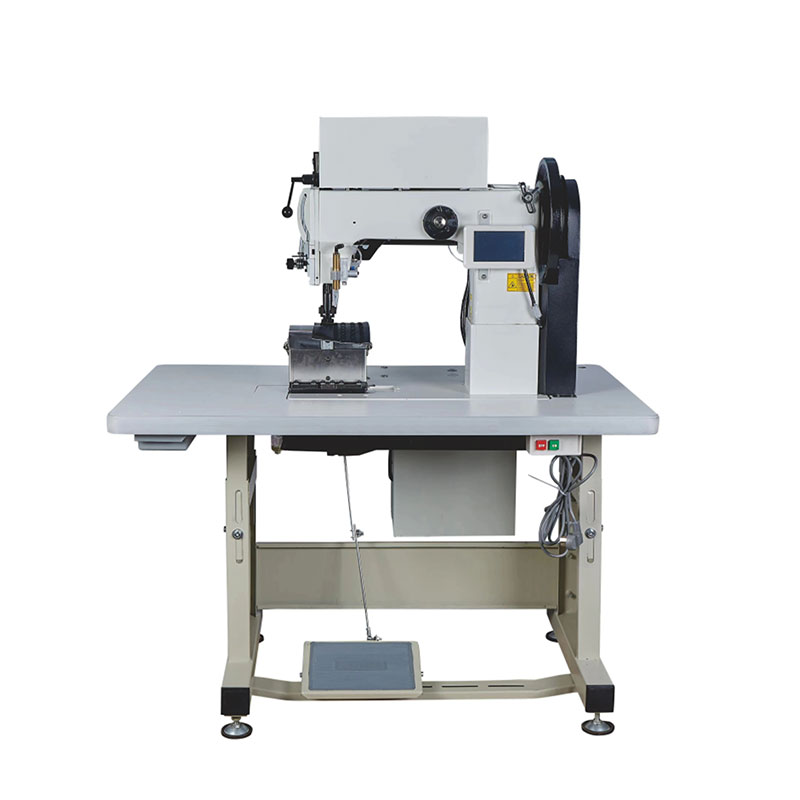
Why Tension Matters on This Machine
Unlike flatbed or single‑needle systems, the Double Needle Postbed Computer Mark Line Pattern Sewing Machine uses two independent needles with synchronized feed and a postbed design that handles curved or bulky workpieces. Tension imbalance between the two threads causes skipped stitches, looping, or puckering. The computer‑controlled mark line pattern function adds another layer: inconsistent tension distorts programmed decorative stitches. Lidebao machines incorporate digital tension monitoring, but mechanical fundamentals still rule.
The 5‑Step Troubleshooting Workflow
| Step | Action | What to Check | Lidebao‑Specific Tip |
|---|---|---|---|
| 1 | Visual & Thread Path Inspection | Thread guides, take‑up levers, and needle eyes for burrs | Use Lidebao’s ceramic‑coated guides to reduce friction drift |
| 2 | Needle & Thread Compatibility | Needle size (Nm) vs. thread weight (Tex) | Mismatch causes erratic tension—refer to Lidebao’s compatibility chart on the control panel |
| 3 | Top Tension Dial Settings | Left & right dials should read within ±2 digits | Lidebao models display digital tension values for each needle separately |
| 4 | Bobbin Case Tension | Check bobbin thread drag (should be 15‑20g) | Lidebao bobbins have color‑coded springs for quick reference |
| 5 | Computer Parameter Reset | Pattern memory may override manual tension | Reset to factory pattern‑specific presets via Lidebao’s touchscreen |
Common Fault Patterns & Fixes
| Symptom | Probable Cause | Corrective Action |
|---|---|---|
| Loops under the fabric | Left needle tension too low | Increase left dial by 2–3 units; test on scrap |
| Puckered seam | Both tensions too high | Reduce both dials equally; check presser foot pressure |
| Intermittent skipped stitches | Bobbin thread slipping | Replace bobbin spring; clean bobbin case with Lidebao‑approved lubricant |
| Pattern distortion (mark line) | Computer tension offset misaligned | Re‑calibrate via Lidebao’s auto‑tension calibration routine (accessible in settings menu) |
Proactive Maintenance for Stable Tension
-
Daily: Run a 10‑cm test seam with standard thread before each shift. Log the left/right tension readings.
-
Weekly: Remove the needle plate and clean lint from the rotary hook area—lint changes thread drag.
-
Monthly: Use Lidebao’s diagnostic mode to perform a full tension sensor check; the system alerts you if sensor drift exceeds 5%.
Lidebao machines also store up to 50 pattern‑specific tension profiles, so you can recall optimized settings for repeat orders—reducing manual guesswork by over 60%.
Advanced: When the Computer Fights the Mechanics
Sometimes the computer‑controlled mark line pattern overrides your manual adjustments. If you set both dials equally but the pattern still shows uneven stitch density:
-
Enter Lidebao’s service menu (password‑protected for supervisors).
-
Check the “Pattern Tension Offset” value—this is an additive parameter.
-
Reset it to zero, then re‑apply your mechanical settings.
-
Re‑run the pattern and note if the distortion shifts—this tells you whether the issue is mechanical (needle bar height) or electronic (encoder feedback).
Double Needle Postbed Computer Mark Line Pattern Sewing Machine FAQ – Common Questions
Q1: Why does my left needle always show tighter stitches than the right needle, even when both tension dials are set identically on my Double Needle Postbed Computer Mark Line Pattern Sewning Machine?
A1: This is the most reported issue in postbed machines. The left and right thread paths are not geometrically identical—the left thread travels a slightly longer route through the take‑up lever and tension discs. On a Double Needle Postbed Computer Mark Line Pattern Sewing Machine, the solution is not to force equal dial numbers, but to equalize actual thread pull. Use a digital tension gauge to measure both threads at the needle eye. Adjust the left dial 2–4 units higher (or lower) until both gauge readings match. Lidebao machines include a built‑in pull‑force test function that gives you real‑time gram readings—use it instead of relying on dial marks. Also verify that both needles are the same size and insertion depth; a 0.5mm difference in height changes loop formation and mimics tension imbalance.
Q2: How do I stop the computer‑controlled mark line pattern from automatically changing my tension settings mid‑seam on my Double Needle Postbed Computer Mark Line Pattern Sewing Machine?
A2: This happens because the pattern program includes “stitch‑by‑stitch” tension modulation—a feature designed for variable‑thickness materials. However, if you are sewing uniform fabric, this modulation causes unnecessary fluctuations. To disable it, access the Lidebao parameter editor and locate “Dynamic Tension Enable.” Switch it to OFF. Then save the pattern under a new name. If you still see changes, check whether the “Material Thickness Sensor” is active—it may be over‑correcting based on false readings from dust on the sensor lens. Clean the sensor with compressed air, then perform a manual baseline calibration. After these steps, the machine will hold your manual dial settings throughout the entire seam.
Q3: What is the fastest way to reset tension for a completely different thread type (e.g., switching from polyester to nylon) on a Double Needle Postbed Computer Mark Line Pattern Sewing Machine?
A3: Do not start by turning dials randomly. On Lidebao models, use the “Quick Thread Change” wizard on the home screen—it guides you through a 90‑second routine: select new thread material and weight, then the machine auto‑sets baseline tensions for both needles. After the wizard, run a 5‑cm test seam and fine‑tune using the “Fine Adjust” sliders, which change tension in 0.5‑gram increments. For nylon (which stretches more), reduce upper tension by 10–15% compared to polyester, and increase bobbin tension slightly (use Lidebao’s spare bobbin case with a stiffer spring). Always store the new settings as a named preset—this lets you switch back and forth in under 2 minutes without re‑troubleshooting.
Final Check – Before You Call for Help
If you’ve followed all steps and still have uneven tension:
-
Swap the left and right bobbin cases—if the problem moves, the case is faulty.
-
Inspect the needle bar synchronizer—Lidebao’s self‑diagnostic will flag phase errors.
-
Update the machine firmware—some tension‑logic improvements are released quarterly.
Need Professional Support?
Tension troubleshooting is part science, part experience. If your Double Needle Postbed Computer Mark Line Pattern Sewing Machine still produces inconsistent stitches after applying this guide, the Lidebao technical team is ready to assist. We offer remote diagnostic sessions, on‑site service contracts, and a library of video tutorials tailored to your machine’s serial number. Contact us today through our official website or your local distributor—include your pattern file and tension log, and we will reply with a customized fix within 4 business hours. Keep your production running smoothly with Lidebao precision.