

What Are the Common Error Codes on an Electronic Snap Button Machine Touch Screen Panel
2026-07-30
Operating industrial fastening equipment requires precision, and the Electronic Snap Button Machine Touch Screen Panel serves as the central command hub for modern production lines. When an error code flashes on this interface, it directly impacts throughput and quality. For manufacturers using Suote systems, understanding these diagnostic messages transforms downtime into quick, informed action. This guide decodes the most frequent alerts, provides step-by-step resolutions, and answers the top questions about maintaining peak performance from your Electronic Snap Button Machine Touch Screen Panel.
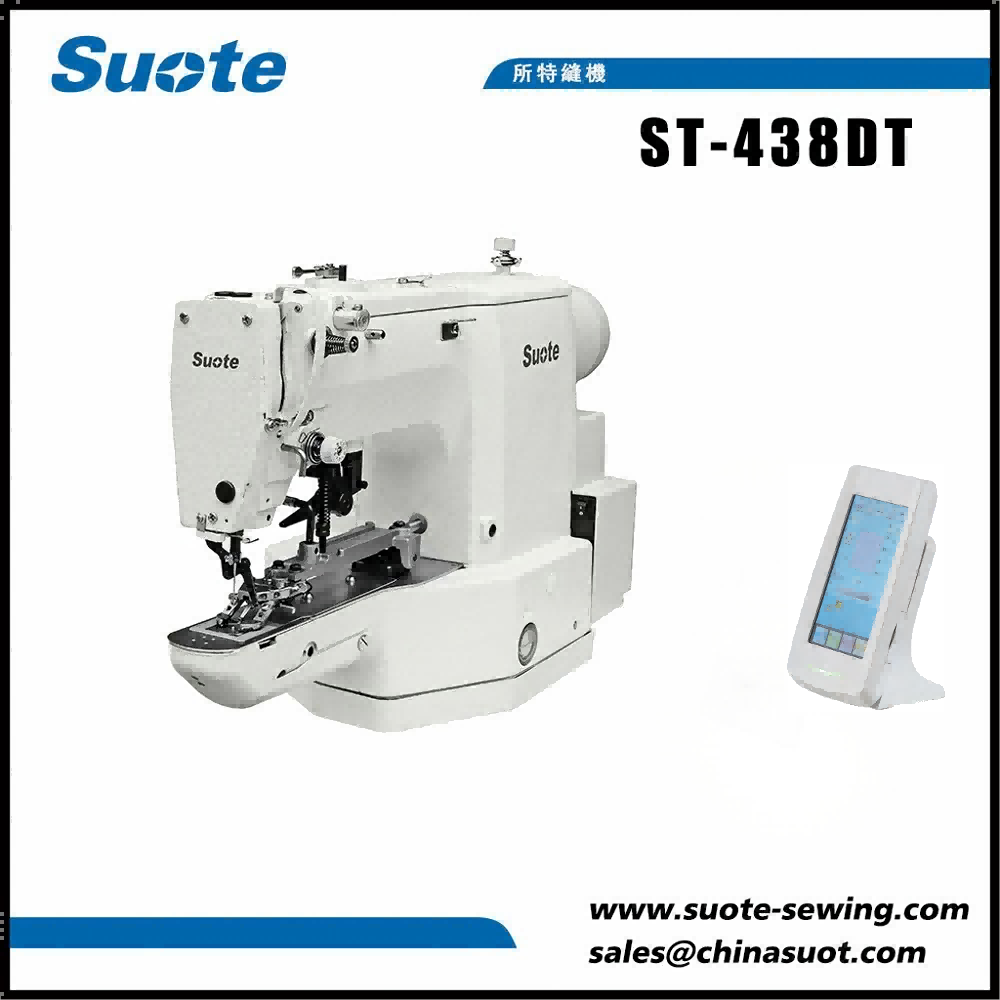
Decoding the Most Frequent Error Codes
Below is a structured reference for the alerts you are most likely to encounter on a Suote Electronic Snap Button Machine Touch Screen Panel. Each code is paired with its root cause and the recommended corrective procedure.
| Error Code | Description | Immediate Action | Preventive Measure |
|---|---|---|---|
| E-101 | Sensor Misfeed – The optical sensor did not detect a snap component within the specified time. | Clear the feed track; press the Reset soft key on the Touch Screen Panel. | Clean the sensor lens weekly with compressed air. |
| E-205 | Servo Overload – The drive motor exceeded its torque threshold, often due to jamming. | Manually rotate the flywheel backward by one notch; then restart the cycle from the panel. | Lubricate the ram guide bushings every 200 operating hours. |
| E-312 | Touch Screen Calibration Drift – The panel registers input offset by more than 3mm. | Enter the system settings menu and run the Auto-Calibration wizard. | Avoid using sharp objects (e.g., pens) to press the screen. |
| E-408 | Air Pressure Drop – Pneumatic supply fell below 4.5 bar during the crimping stroke. | Check the shop air line; increase regulator pressure to 6.0 bar via the panel’s pressure gauge display. | Install a secondary air filter-dryer upstream of the machine. |
| E-519 | Counter Overflow – The batch counter reached its preset limit (999,999 cycles). | Navigate to the Production Log and clear the historical count; reset the batch target. | Set a lower batch warning (e.g., 900,000) to anticipate this alert. |
Root-Cause Analysis for Persistent Alerts
While a single error often resolves with a restart, recurring codes indicate deeper issues. For example, repeated E-205 on your Suote Electronic Snap Button Machine Touch Screen Panel typically points to worn punch dies rather than the servo itself. Similarly, frequent E-312 suggests environmental factors—high humidity or temperature fluctuations—can affect the resistive film of the Touch Screen Panel. Logging each occurrence with timestamp and material batch helps Suote service engineers diagnose remotely via the USB export function.
Step-by-Step Diagnostic Workflow
When an unfamiliar code appears, follow this structured approach directly from the Electronic Snap Button Machine Touch Screen Panel:
-
Pause & Capture – Take a photo of the code and the active parameters (force, depth, speed) shown on the lower status bar.
-
Consult the Built-in Help – Tap the ? icon on the upper-right corner of the Suote interface; most codes include a hyperlinked explanation.
-
Verify Mechanical Zero – Use the Jog Mode to move the ram to the top dead center; then re-home the axis.
-
Test with a Dry Run – Remove all snaps and run an empty cycle to isolate electrical vs. mechanical faults.
-
Factory Reset (Last Resort) – Access the hidden service menu (password-protected) to restore last-known-good configuration.
FAQ – Common Questions About the Electronic Snap Button Machine Touch Screen Panel
Q1: Why does my Electronic Snap Button Machine Touch Screen Panel show error E-101 even after I have cleared the feed track?
A1: This occurs because the sensor’s baseline threshold has not been re-taught. After clearing physical jams, navigate to Sensor Setup on your Suote Electronic Snap Button Machine Touch Screen Panel, select Auto-Teach Background, and run the routine without any component in the track. The system then recalibrates its light-receiving value to distinguish between an empty track and a true misfeed. If the error persists within 10 cycles, inspect the sensor cable for intermittent shorts—especially where it flexes near the feed drum.
Q2: Can I continue production if the Touch Screen Panel becomes unresponsive but the machine still cycles?
A2: Yes, but only temporarily and with extreme caution. The physical emergency stop and foot pedal remain active even if the Electronic Snap Button Machine Touch Screen Panel freezes. However, you cannot adjust pressure, stroke depth, or batch counts. To restore full functionality, perform a Warm Reboot by holding the power button for 8 seconds—this resets only the HMI (Human-Machine Interface) without cutting main motor power. For Suote panels, we strongly recommend scheduling a touch-film replacement after three such freezes, as this indicates capacitive degradation.
Q3: How do I export the full error history log from the Electronic Snap Button Machine Touch Screen Panel for warranty support?
A3: Insert a FAT32-formatted USB drive into the port located on the lower rear housing. On the Suote main menu, swipe left to System, then tap Export Diagnostics. The file generated (format *.SLOG) contains the last 500 events, including timestamps, error codes, and operator inputs. Before exporting, ensure the Touch Screen Panel displays “USB Ready” in the status bar. Send this file along with your machine serial number to the Suote technical team—they can parse the log to differentiate between operator-induced errors and genuine hardware anomalies within 24 hours.
Optimizing Long-Term Reliability
Proactive management of your Electronic Snap Button Machine Touch Screen Panel reduces error frequency by over 60%. Suote recommends a quarterly calibration cycle using the built-in Pattern Test, which evaluates both touch accuracy and color uniformity. Additionally, always use the Screen Lock function during cleaning—moisture ingress is a leading cause of phantom touches that generate false E-312 alerts. For shops running three shifts, consider enabling the Predictive Alert feature, which analyzes motor current trends and warns of impending E-205 conditions 50 cycles before they trigger a hard stop.
Contact Us for Expert Support
Diagnosing and resolving error codes on your Electronic Snap Button Machine Touch Screen Panel should never slow your production goals. The Suote support team offers live remote diagnostics, on-site service contracts, and spare touch panel kits with next-business-day delivery. Whether you need a firmware update, a replacement screen, or a full operational audit, our engineers are ready to assist. Contact us today via the official website or call your regional Suote distributor—we guarantee a response within two business hours and can often resolve your issue during the first call. Keep your Electronic Snap Button Machine Touch Screen Panel running flawlessly; let us help you stay ahead of every error code.